Nutrition app privacy, in plain language
Which of your information stays on your phone, what's backed up to your account, what goes to the AI, and how do you delete your account? You'll find the short answers to all of it on this page.
 (opens in a new tab)
Free
(opens in a new tab)
Free

Where does your data go?
Short answer: the photos are analyzed, not stored. The long answer is below and in the privacy policy.
- Photos are not stored. The photo of your plate is sent to the AI provider for analysis only; the result is written to your meal record, and the photo is not kept. There is no permanent photo archive.
- Your name does not go to the AI. Only your nutrition profile is sent for plan and recipe generation; your name, email and account identifier are not.
- Delete your account from one place. Your account, profile, plans and tracking data are deleted from inside the app; technical logs are removed automatically within 30 days at most. No ad network, no analytics tracker, no data sales.
Are food photos stored?
No. The photo you take or pick from your gallery is first resized and compressed on your phone, then sent to the AI provider for analysis.
The photo itself isn't kept on YiYo's servers. When the analysis is done, only the result is written to your meal record: the dish name, estimated weight, calories and macros.
When you scan a barcode, the camera image isn't saved. Only the barcode number is looked up in the open-source Open Food Facts database; nothing about who you are is sent.
Camera and gallery permission is requested only when you use these features. Even if you say no, the rest of the app works.

What stays on your phone, and what's backed up to your account?
Your profile, plans, daily tracking and favorite recipes are backed up to your account, so they aren't lost when you change phones. They're kept for as long as your account is active.
Some of it is also kept on your phone, in a space reserved for you, so the app can open it without an internet connection. When you uninstall the app, this copy is deleted.
Your notification times, theme and sound preference never go to the server. Your language preference also stays on your phone; it's sent along with requests only so that AI content can be prepared in that language.
Who sees what?
YiYo only uses the infrastructure providers the app needs to work. Who sees what, in brief:
- AI provider (Groq, USA)
- Your nutrition profile for plans and recipes, and your food photo for calorie analysis. Your name, email and account identifier aren't sent.
- Google Firebase
- Sign-in, database and server functions. Server functions run in Frankfurt; the database and sign-in infrastructure sit in Google's data centers abroad. Each user can read and write only their own data.
- Open Food Facts
- Only the barcode number of the product you scan. No information about your identity is sent.
- Apple and Google
- If you choose to sign in with them, authentication goes through them. When you sign in with Apple, you can hide your email.
- Support team
- Sees only the support requests that belong to you; can't access your profile, health or plan data.
- Advertising and marketing companies
- None. YiYo has no ad network, analytics tracker or marketing tool.
Separate consent for your health data. Your height, weight, allergies and health conditions count as health data. The first time you open the app, you're asked separately to consent to their processing and transfer to servers abroad; you can withdraw this consent at any time.
Deleting your account: step by step
You delete your account and data from inside the app in a few taps. Deletion can't be undone.
- Go to the Profile page from the bottom menu.
- Tap Delete Account at the bottom of the page.
- Verify your identity: enter your password or sign in again with your Google or Apple account.
- Confirm the deletion on the confirmation screen. You're signed out and taken back to the login screen.
If you can't get into the app, write to support@yiyo.food. Writing from the email registered to your account speeds up verification. Your request is usually completed within 7 business days, and within 30 days at the latest.

What goes when you delete, and what stays?
- Permanently deleted Your profile, health and preference information, plans, meal and water logs, summaries, favorite recipes, support requests, the copy on your phone and your sign-in account.
- Removed automatically Server logs kept for debugging and security are deleted automatically within 30 days at most. It can take up to 180 days for deleted data to be fully purged from Google's backups; the app doesn't read these copies.
- What you need to request separately Emails you sent to support@yiyo.food aren't deleted automatically; just write to the same address. You manage the records in your Google or Apple account from that provider's settings.
Uninstalling the app doesn't delete your account. The copy on your phone goes, but your data on the server stays. If you sign up again with the same email, the new account starts empty; your old data doesn't come back.
How is your data protected?
- Every connection between the app and the servers is encrypted (TLS).
- YiYo can't see your password; sign-in is handled by Firebase Authentication. If you signed up by email, email verification is required.
- The AI service's secret keys are held on the server side, not inside the app.
- YiYo doesn't access your location, contacts, step counter, or Apple Health and Google Fit data.

Quick questions about privacy
What happens to my data?
Data is kept primarily on your device and backed up to your account. The photos you take are not stored. You can delete your account and your data from inside the app; details are on the Privacy Policy and Account Deletion pages.
Is my data sold or used for ads?
No. Your data is never sold or rented to any third party for advertising, marketing or profiling. It may only be shared in response to lawful requests from legally authorized public authorities.
Do I have to delete my account to stop notifications?
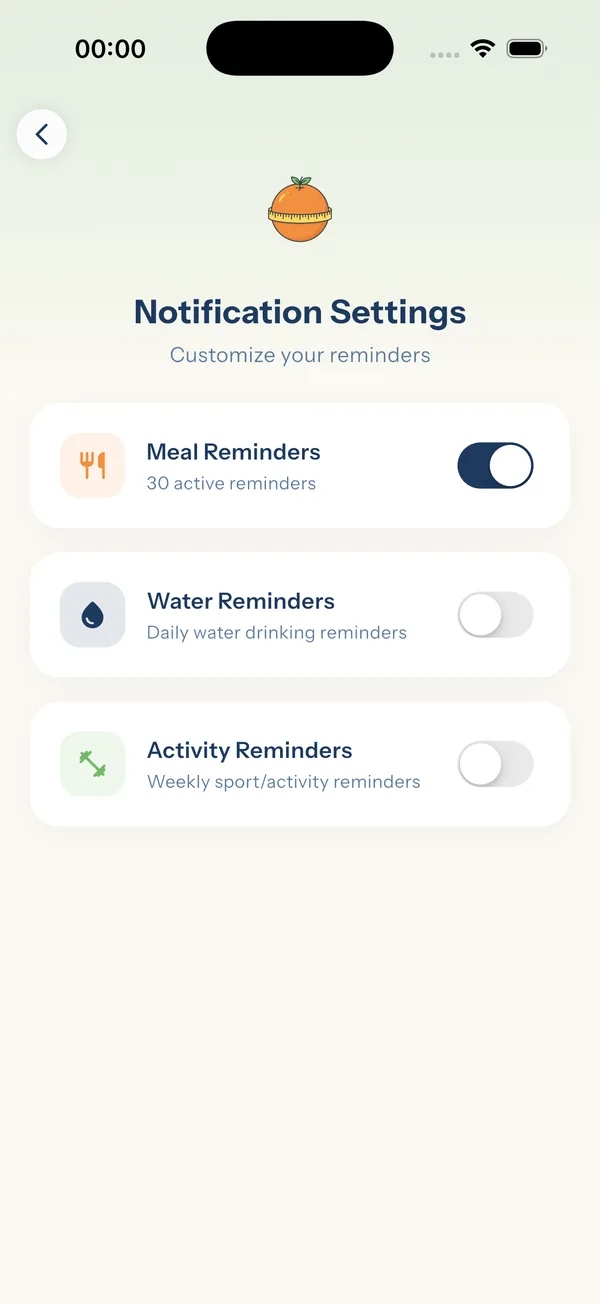
No. You can turn off reminders in the app's notification settings without deleting your account.
Can I change my profile information later?
Yes, you can update it on the Profile page. For other requests, write to support@yiyo.food; requests are resolved within 30 days at the latest.
How old do I have to be to use YiYo?
Because YiYo processes health data, it's intended for users aged 18 and over. Those aged 13 to 17 can use it only with the consent of a parent or guardian; children under 13 can't use it.
Does this website track me?
No. The site has no analytics, advertising or tracking cookies or scripts; the infrastructure provider may only use strictly necessary technical cookies for security. Your theme and language choices are stored only in your browser. Hosting providers keep connection logs for security.
This page is a summary. The binding texts are the Privacy Policy, Account Deletion and Terms of Use.
Start today.
The moment you finish the questions, your first weekly plan is ready. Free.
On a computer? Scan it with your phone's camera and the App Store page opens.
YiYo is not a health institution, a dietitian or a medical doctor. The plans it offers are for information only and do not replace medical advice. During pregnancy or breastfeeding, and for people with kidney disease, diabetes that requires medication or insulin, or a history of eating disorders, the app should only be used under the supervision of a doctor or dietitian.